The Affiliate system allows you to link two clients together, giving you the ability to share certain information between them. This system works well for clients who utilize Third-Party Administrators (TPA) to manage their investigations, as well as clients who work with attorneys. For example, let's assume you have a client that would like their attorney to have access to some of their cases through your system. This is easily accomplished through the affiliates system.
Before you can setup an affiliate relationship, make sure both companies are setup as clients in your system. Once both clients have been created, go to the client's (the one who gave you the case) profile. From here, click the Affiliates tab, then click the New Affiliate link on the right hand side.
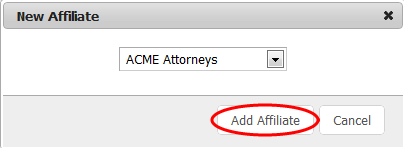
Choose the client that you want to connect with and then click Add Affiliate.
Assigning Affiliate Contacts to Cases
When a client affiliate relationship has been established, any client contact associated with that affiliate can be assigned to cases for the client. There are two ways to assign an affiliate contact to a case:
- Assigning an affiliate contact as the primary client contact on a case. When creating a new case, any affiliate contacts will appear in the contact dropdown menu. The client will remain the same, however the primary contact will now be
- Assigning an affiliate contact as an additional contact on a case. When you are assigning additional contacts to your client's cases via the Assigned tab on a case select the Affiliate Contacts group and choose any contact affiliated with this client.